
What You’ll Need to Get Started
An individual with owner or admin access to your Klaviyo account must complete the following steps. These instructions are intended for someone with those permissions.
Granting LiftEngine Access
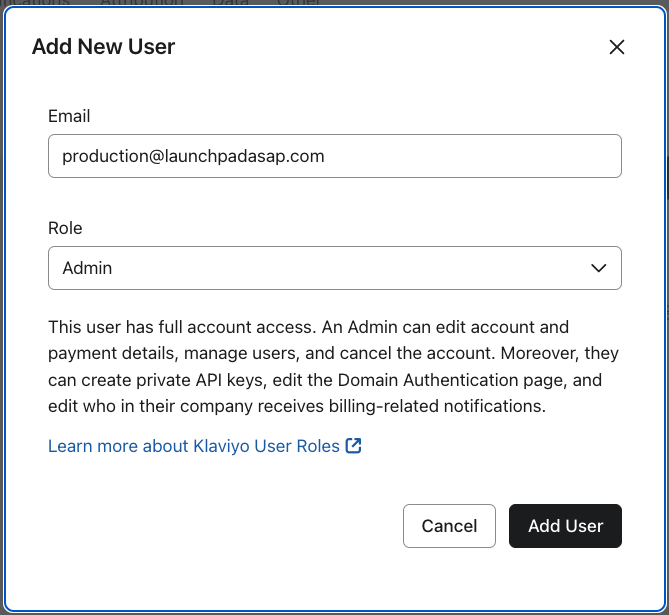
The email production@launchpadasap.com must be invited to your account as a user with “Admin” access. For the latest directions on how to add users to your Klaviyo account, please refer to their documentation.
After Access is Granted
After access has been granted:
- We will begin setting up a Klaviyo SFTP integration.
- We will schedule a call to finalize the Segment(s) used as the target for our append process.